

AI video models are becoming more capable, but choosing the right one is no longer only about asking which model produces the most realistic clip. Filmmakers, advertisers, and creative teams now need to think about consistency, audio, camera control, reference handling, editing flexibility, and how well a model fits into a larger production workflow.
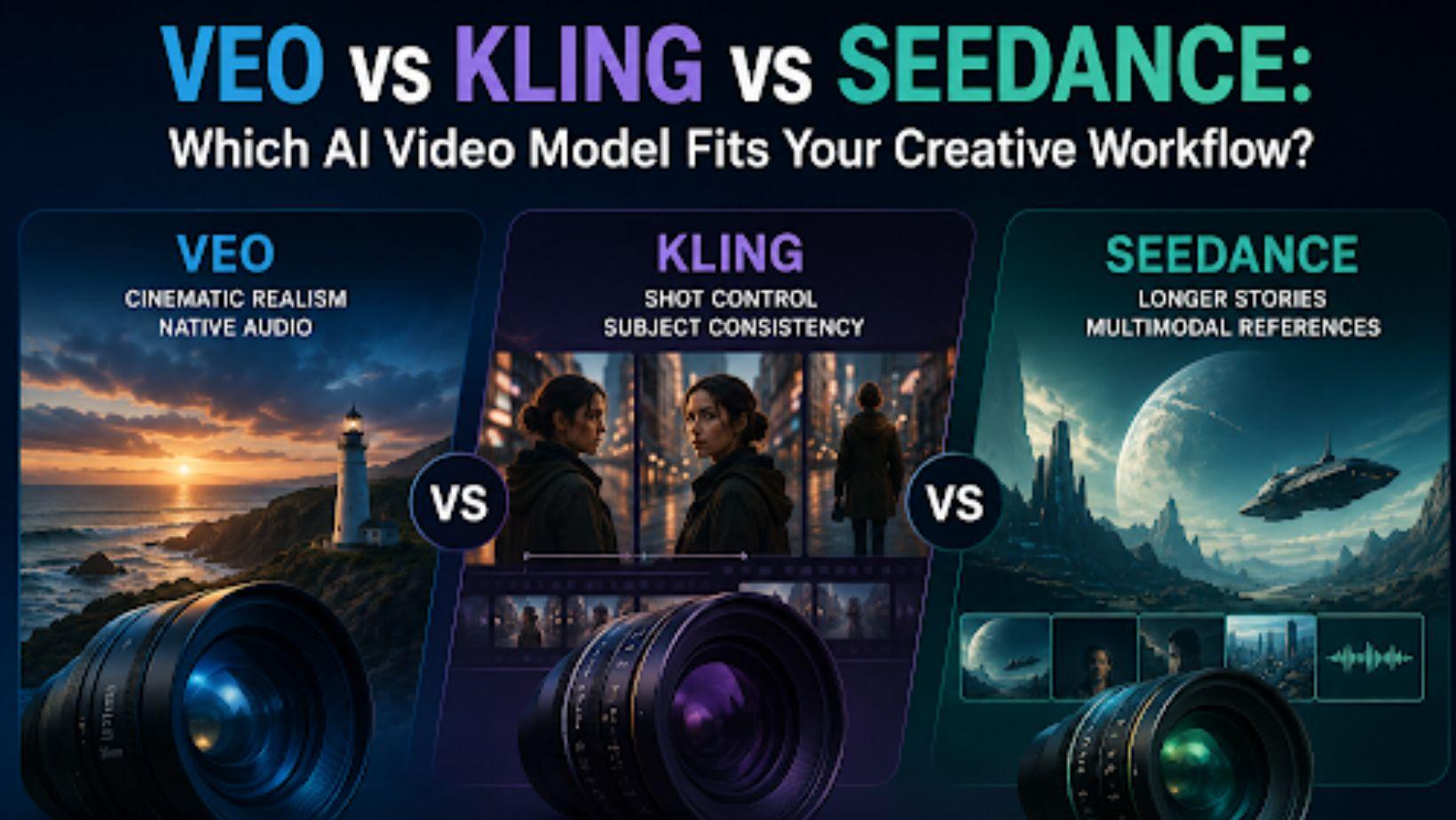
For this comparison, the most relevant current versions are Google Veo 3.1, Kling VIDEO 3.0, and ByteDance Seedance 2.5. Each model can create high-quality AI video, but they approach the creative process differently. Veo places strong emphasis on realism, prompt following, and native audio. Kling 3.0 combines multi-shot storytelling with subject consistency and flexible camera control. Seedance 2.5 pushes further into longer-form generation, multimodal references, and production-oriented editing.
The best model, therefore, depends less on a single quality score and more on what you are trying to make.
Veo vs Kling vs Seedance at a Glance
|
Model |
Strongest Creative Fit |
Key Strength |
|
Veo 3.1 |
Cinematic scenes, dialogue, realistic environments |
Realism, prompt adherence, native audio |
|
Kling VIDEO 3.0 |
Multi-shot storytelling, characters, ads |
Shot control, subject consistency, native audio |
|
Seedance 2.5 |
Longer scenes, references, complex productions |
30-second generation, multimodal referencing, editing |
All three models can support professional creative work, but their strengths become clearer when looking at how they handle specific production needs.
Veo 3.1: Best for Cinematic Realism and Sound-Complete Scenes
Google positions Veo 3.1 as its leading video generation model for filmmakers and storytellers. The model can generate visuals and audio together, including dialogue, ambient sound, and sound effects. Google also highlights improved realism, physics, prompt adherence, and creative control.
This makes Veo particularly useful when a creator wants a scene to feel complete rather than treating sound as a separate post-production task.
Where Veo 3.1 Stands Out
Veo is well suited to detailed cinematic prompts. A creator can describe not only what happens in the frame, but also the camera movement, environment, performance, and soundscape.
For example, a filmmaker could describe a slow push-in on a character in a busy city environment, specify the mood of the performance, and include dialogue or environmental sound in the same prompt.
Google specifically recommends detailed play-by-play prompting for complex action, which makes Veo useful when the director already has a clear idea of how a shot should unfold.
Strong Use Cases for Veo
Veo 3.1 fits particularly well for:
- Dialogue-driven cinematic scenes
- Atmospheric film moments
- Product commercials with realistic environments
- Previsualization of directed shots
- Sound-led scenes where dialogue and ambience matter together
Its strength is less about generating many separate variations and more about producing individual scenes that feel visually and sonically complete.
Where Veo May Be Less Suitable
If your workflow depends heavily on large numbers of reference images, long sequences, or detailed editing after generation, other models may offer more specialized controls.
Veo remains a strong choice when realism, cinematic detail, and native audio are the main priorities.
Kling VIDEO 3.0: Best for Shot Control and Consistent Subjects
Kling VIDEO 3.0 takes a more structured filmmaking approach. Its current 3.0 series supports clips up to 15 seconds, native audio, multi-shot generation, start and end frames, element references, and multi-character coreference.
One of its most interesting features is its multi-shot workflow. Kling can interpret scene coverage from a prompt and adjust camera angles and compositions across multiple shots rather than producing only one continuous view.
Where Kling 3.0 Stands Out
Kling is especially strong when a creator wants to think more like a director.
Its Multi-Shot and Custom Multi-Shot options allow creators to define different shots within one sequence. The model can handle patterns such as shot-reverse-shot dialogue, cross-cutting, changing perspectives, and different shot sizes.
Kling also places significant emphasis on subject consistency. Its reference workflows can anchor characters, objects, and scenes so they remain recognizable as camera angles and actions change.
Strong Use Cases for Kling
Kling VIDEO 3.0 is a strong fit for:
- Character-driven scenes
- Dialogue involving several characters
- Commercials with recurring products or actors
- Multi-shot cinematic sequences
- Storyboards that need to become moving scenes
- Videos requiring specific camera coverage
Its combination of camera control and reference-based consistency makes it particularly useful for creators moving beyond isolated AI clips.
Where Kling May Be Less Suitable
Kling currently focuses on shorter sequences than Seedance 2.5, with generation up to 15 seconds.
That is enough for many advertisements, social videos, and individual film beats, but creators building longer continuous scenes may prefer a model designed around extended storytelling.
Seedance 2.5: Best for Longer Stories and Reference-Heavy Workflows
Seedance 2.5 moves AI video generation closer to a broader production workflow. ByteDance describes it as an audio-video joint generation model built around 30-second storytelling, precise reference control, and editing.
It can generate up to 30 seconds in a single pass and supports extensions for longer sequences. ByteDance says the model improves transitions and continuity across multiple connected shots rather than simply stretching a single moment.
Where Seedance 2.5 Stands Out
The biggest difference is how much reference material the model can work with.
Seedance 2.5 supports up to 30 images, 10 video clips, and 10 audio clips as reference inputs in one generation. These materials can guide characters, scenes, props, visual composition, camera language, motion, and audio direction.
This makes Seedance particularly useful when the creator already has a detailed creative package rather than just a text prompt.
For example, a commercial team might provide product photographs, a style reference, previous campaign footage, a music reference, and a camera example and ask the model to bring those materials together into one sequence.
Strong Use Cases for Seedance
Seedance 2.5 works particularly well for:
- Longer narrative scenes
- Commercial productions with many references
- Character and product continuity
- Multi-scene storytelling
- Complex camera blocking
- Reference-led visual development
- Editing existing generated content
It also includes timestamp-level editing and more advanced production controls such as green-screen editing and camera perspective adjustments.
Where Seedance May Be Less Suitable
The additional controls can be more than necessary for a creator who simply needs a quick cinematic clip from a text prompt.
Its strengths become most valuable when the production involves multiple references, connected scenes, or a more detailed creative plan.
Which Model Is Better for Character Consistency?
For character-driven filmmaking, both Kling and Seedance offer strong reference-based workflows.
Kling VIDEO 3.0 can use image and video references to anchor character traits across changing shots and camera movements. It also supports multi-character coreference, making it useful for dialogue and ensemble scenes.
Seedance 2.5 goes further in the amount of reference material it can accept and can preserve character appearances and voices across complex scenes involving multiple subjects.
Veo can also maintain creative consistency, but its main published strengths currently center more on realism, prompt adherence, and sound-complete cinematic generation.
For recurring characters across several scenes, Kling and Seedance may provide more direct reference-oriented workflows, while Veo remains compelling when the quality of an individual cinematic performance matters most.
Which Model Is Better for Camera Control?
Kling stands out when camera planning is central to the workflow.
Its multi-shot system can automatically interpret cinematic coverage, while Custom Multi-Shot gives creators more control over shot sizes, perspectives, timing, and camera movement.
Seedance also provides professional camera movement and performance blocking, while its ability to understand reference videos allows creators to carry framing and cinematic language from existing material into new generations.
Veo works well with detailed camera directions inside prompts, making it effective when a creator wants to describe a specific shot precisely.
A simple way to think about the difference is:
Veo: Describe the shot clearly.
Kling: Direct the coverage and cuts.
Seedance: Combine camera direction with extensive references and longer scene development.
Which Model Is Better for Audio?
All three current model families now treat audio as part of video generation rather than an afterthought.
Veo can generate dialogue, ambient noise, sound effects, and other audio natively with the visual scene.
Kling VIDEO 3.0 also supports native audio and can map dialogue to specific characters in multi-person scenes. Its multilingual capabilities include several major languages as well as dialect and accent support.
Seedance 2.5 uses joint audio-video generation and can also take audio clips as creative references, making it useful when sound is already part of the project’s creative direction.
The best choice therefore depends on whether you want audio generated from the scene, dialogue tied closely to characters, or audio references carried into a larger creative workflow.
Choosing the Right Model for Your Creative Workflow
There is no universal winner among Veo, Kling, and Seedance.
Choose Veo 3.1 when your priority is a polished cinematic shot with realistic visuals, strong prompt following, dialogue, and environmental sound.
Choose Kling VIDEO 3.0 when you need greater control over camera coverage, multiple shots, recurring characters, or product consistency.
Choose Seedance 2.5 when the project involves longer sequences, many visual and audio references, connected scenes, or more advanced editing and production requirements.
In practice, professional creative teams may not want to choose only one model.
Moving Beyond a Single AI Video Model
As AI video production becomes more advanced, the question is increasingly shifting from “Which model is best?” to “Which model is best for this particular shot?”
A cinematic dialogue scene may work well with Veo. A multi-angle character sequence may benefit from Kling. A longer, reference-heavy commercial may be better suited to Seedance.
This is where invideo Agent can fit naturally into the workflow. Rather than treating one model as the answer to every creative problem, invideo Agent can help creators work across a broader production process and choose an appropriate model for different shots. Invideo currently provides access to more than 200 image, video, audio, and music models, including Veo 3.1, Kling 3.0, and Seedance 2.5.
With invideo Agent Two, that model access sits alongside project memory and specialized creative agents, allowing filmmakers and creative teams to keep decisions around characters, style, cinematography, and visual direction connected throughout a project. Invideo also describes its agents as helping creators choose a model and write the prompt for individual shots rather than requiring them to become experts in every model themselves.
For larger productions, this can make more sense than building an entire workflow around one generator. Invideo Agent acts as the creative layer connecting the project, while models such as Veo, Kling, and Seedance can be selected according to the strengths required for each scene.
Final Thoughts
Veo 3.1, Kling VIDEO 3.0, and Seedance 2.5 represent three different directions in modern AI video generation.
Veo is particularly strong when realism, detailed prompting, and native sound matter. Kling brings more explicit shot planning and character consistency into the generation process. Seedance focuses on longer-form storytelling, extensive multimodal references, and production-oriented control.
For creators, the most useful approach may be to stop looking for a single “best” AI video model. Different shots require different strengths. The better creative workflow is the one that gives filmmakers the freedom to choose the right model while keeping the story, characters, style, and production direction consistent from one scene to the next.








Discussion about this post